Tuesday, March 4, 2014

Celebrate National Grammar Day with a Giveaway!

National Grammar Day Giveaway

Happy National Grammar Day!

I may or may not have been accused of being the "Grammar Police" on more than once occasion. So this is a topic that is very dear to me. It bothers me when I see there/their/they're being used incorrectly, or when my kids confuse an adjective for an adverb. (Yes, I know I have a problem.) That's why I love this giveaway.

If your children (or even you or your spouse!) have trouble with grammar, it's no surprise given the dry, boring, painful way grammar is often taught in school. And that's why I love Super Grammar and have used it in our homeschool curriculum to teach my kids grammar - in a FUN way that is EASY to learn!

You can read all about how I use Super Grammar in our lessons here.

The Giveaway

To celebrate National Grammar Day, our friends over at Super Grammar are donating a special prize pack of Super Grammar goodies for two (2!) MommyMaestra readers. The Prize Pack includes an autographed copy of Super Grammar, a set of four promo posters, and a National Grammar Day Poster (all shown above).

To enter, simply use the Rafflecopter below.

¡Buena suerte!

a Rafflecopter giveaway

Monday, March 3, 2014

Doodle for Google 2014 Contest Now Open for Submissions


The Doodle for Google competition is live! And your child only has a little less than 3 weeks to submit his or her award-winning masterpiece. We download the entry form each year and sometimes actually submit the kids' artwork. They asked me about it already, so I'm happy that we'll be doing it again this year.

The contest is open to students in K-12, and this year's theme is: “If I Could Invent One Thing to Make the World a Better Place...”

To inspire your child, be sure to check out the Classroom Activities page. Created to "warm up" your child's brain before he or she sits down to create a Doodle masterpiece, you can watch short videos by official Google Doodlers and how they go about the process of creating many of the artistic doodles we've seen on Google's home page over the years. You can also choose from 3 classroom activities: "Imagine," "Create," and "Share and Collaborate."

Your child could win a $5,000 - $30,000 scholarship, plus a $50,000 Google for Education grant for her school.

This year's submission form is also much simpler than it has been in the past. In previous years, we've downloaded several pages, but this year, there is only one for you to print and mail in. Google must receive your entry by March 20th.

The last Latino student to win the contest was Matteo Lopez back in 2011, who was at the time a second grader in San Francisco. You can check out the video of him accepting his award here.

¡Buena suerte!

Sunday, March 2, 2014

Happy Birthday, Dr. Seuss!


On Friday, we celebrated Dr. Seuss' birthday, which is actually celebrated all across the country today in conjunction with National Read Across America Day. Our homeschool group embraces get togethers and a chance to celebrate reading with a party is certainly no exception, so we invited the other families in our town to join us at our local library for a Dr. Seussian good time. 

The kids enjoyed eating Cat in the Hat parfaits (strawberries and vanilla yogurt layered in party cups), an activity booklet, and a few Cat goodies. I even found the perfect books to give as gifts: Who Was Dr. Seuss? from our favorite line of children's biographies. (We'll be reading it this month as soon as we finish our current read aloud, The Evolution of Calpurnia Tate.)


But the festivities didn't end for us on Friday. The same library is having a celebration later in the month that we'll be attending, and tomorrow, PBS KIDS kicks off their "Dr. Seuss' Birthday Cat-ebration" with an all-new one-hour THE CAT IN THE HAT KNOWS A LOT ABOUT THAT! special. The party continues all week with half hour episodes where your kids will learn how glass is made, how multi-legged creatures walk, and how cotton is spun into fabric.

I'm also looking forward to introducing my son to the new Cat in the Hat online game. “Marbleous Marvel Coaster” allows him to create his own Seussian rollercoasters. He loves playing games that feature characters he knows and loves and I love that he can develop his love of engineering and the skills that go with it. 


How is your family celebrating today?

Disclosure: I'm a PBS KIDS ambassador and received a party kit, which I supplemented with additional materials I used my own money to buy. All thoughts and opinions listed above are my own.

Thursday, February 27, 2014

Psst...There's a Big Sale Going On!


Don't miss the awesome sitewide sale going on today and tomorrow over at TeachersPayTeachers! You can find some great deals, including a discount on all of the products in my own store.

It's a good time to stock up, no?

Wednesday, February 26, 2014

State Farm Neighborhood Assist Grants


This is part of a sponsored collaboration with Latina Mom Bloggers and State Farm. However, all opinions expressed are my own.

I love it when I find out about kids who are doing social good and giving back to our comunidad. Especially when it provides a wonderful opportunity for other people - both young and old - to realize their dreams. So I'm happy to tell you about the State Farm Neighborhood Assist® program, in case it provides YOU or your familia with an opportunity to make a difference.

Do you have an awesome idea that would improve the lives of the people in your community? Maybe you want to create a community garden, or build a safe playground for your children to play in. Perhaps you have a lot of elderly in your community who would benefit from a senior center or emergency clinic. Maybe your local library doesn't have many bilingual books for your family to read or the staff to offer bilingual programs, and they don't have the money to fund them. Pues, you need to know about the Neighborhood Assist's grants then! NA is a youth-led philanthropic program that connects people with fabulous ideas to local nonprofits for support. In addition, if YOUR idea is selected, you can win a $25,000 grant to help get your idea off the ground. The organization is awarding 40 (forty!!) of these $25k grants this year.

¡Oye! They'll begin accepting submissions this coming Monday, March 3rd! ¿Y sabes quĂ©? They want submissions that benefit the Hispanic community! Starting Monday, you can submit your idea using their free State Farm Neighborhood Assist Facebook app.

The State Farm Youth Advisory Board is made up of about 30 students across the country. The 17 to 20 year olds are responsible for helping State Farm manage a 5 million a year service-learning initiative

Once they receive a total of 4,000 cause submissions, the State Farm Youth Advisory Board will begin the process of reviewing them and identifying the top 200 causes. But you better SUBMIT EARLY because even though the deadline is March 23rd, submissions close when they receive 4,000 (which usually happens before the 23rd). They'll announce the top 200 on April 28 and anyone who has the free Facebook app can vote for their favorite causes with up to 10 votes per day until May 16. The 40 causes with the most votes will receive a $25K grant for their cause.

When researching the program, I found this inspiring guest post over on Type A Mom about a teacher who submitted her project to build a geodesic dome greenhouse at her school allowing her 6 - 8th graders the opportunity to grow organic food that they then donated to a local family homeless shelter. The students are low-income inner city kids who were able to learn about serving their community as a result of the project. I encourage you to read the short but moving post, and check out the great photos.

¡Me encantarĂ­a ver a mas comunidades Latinas beneficiar de esta gran oportunidad!


Tuesday, February 25, 2014

School Readiness Tips for Parents


Understanding that the first five years of a child’s life are a time of physical, emotional, social and cognitive growth, parents and caregivers should look for resources and tips to help prepare children to enter school, including the following tips from PBS KIDS: 

1. Be involved and make learning fun. Research shows that children are more likely to succeed academically and socially in school when their parents or caregivers actively support and encourage them to take pleasure in learning. 

2. Talk with your child. Young learners need to be in language rich environments. Talking to your child about a book you read together or exploring an educational app together are ways to help your child build language and acquire the skills needed to learn how to read. 

3. Help your child explore. Encourage kids to ask questions and try different ways of using materials, offering them a wide range of new experiences. When choosing media, follow your child’s interests and look for educational content that builds on their excitement. 

4. Let your child experiment. Kids experience great satisfaction when they try and finish new things. Give them a bit of support when they need it, but be careful not to take over completely. Simple household tasks, art projects and experimenting with various musical games are all ways that children can experiment and build confidence. 

5. Nurture your child’s natural curiosity. Allow your child to chase a butterfly or watch a hermit crab peep out of its shell. Encourage them to investigate everyday objects as a way to develop curiosity and an interest in learning more. Look to media resources and characters like Curious George and Daniel Tiger from PBS KIDS, who help kids discover the world around them. 


Disclosure: I am a PBS KIDS ambassador, which means that they provide me with educational information like the infographic and tips shown above to share with my readers.


Sunday, February 23, 2014

Spanish Immersion Homeschool Resource


For those of you homeschooling your children with full-immersion Spanish, this is a gold mine of Spanish resources. The Mexcian department of education has an amazing online account with Issuu and they've uploaded 641 publications, all of them Spanish texts as far as I can tell (I haven't gone through all of them). They appear to all be centered around 1st through 6th. Lots and lots of great information here. Obviously, the history is focused on Mexican history, but you should be able to use the math, science and other resources for homeschooling here in the U.S.

I haven't used any of these, so if you have, please share your thoughts. Of course, you should look through it first and see if it is of use to you. Just for fun, I'm sharing one book below and will try to remember to do so every now and then as a reminder.

**For those of you looking for a comprehensive list of Spanish learning programs, click here to see my post dedicated to them.

Enjoy!

Thursday, February 20, 2014

Making Chores Easier with Dyson DC65 & Best Buy {PRINTABLE}

Making Chores Easier


This post is sponsored by Dyson and Best Buy and includes a review of the new Dyson DC65. 

Does your child have assigned chores at home? Mine do. Since we live on a small farm, my husband and I rely on their help with all the chores that need to be done around here.

But you don't have to live on a farm in order for your child to help out with the housework. And I find that by giving my kids daily duties that they are responsible for is a great way to teach them a sense of responsibility and to be neat and organized. Now I'm not saying my kids ARE neat and organized, BUT we're learning those skills every day through small assignments.

My kids are close enough in age that we trade chores back and forth every other day. So for example, on Mondays, Wednesdays and Fridays my daughter feeds the chickens, prepares the table before meals, and folds up blankets, while my son empties the recycling containers, wipes off the table after meals, and cleans the stairs. Then on Tuesdays, Thursdays, and Saturdays they switch. Once a week one of the kids dusts while the other one vacuums. And every evening the kids take turns bottle feeding the calves, or they do it together, my daughter feeding one little calf while my son feeds the other. During these cold winter months, they are also in charge of collecting sticks for kindling for our wood stove, and sometimes they stack wood after their Daddy finishes chopping it.

Anyway, I've put together a few blank bilingual chore charts for you to use, if you'd like to. They are handy for helping us to remember to do the little assignments and establish a sense of pride, I think, in knowing that they've contributed to the running of our household.


Because my son suffers from some serious allergies to mold and other allergens, I have to be mindful of what chores he can do and the tools he uses to do them.

That is why I'm really excited about the new Dyson DC65.


The Review

When we got the new Dyson DC65 Animal it was sort of like my fairy godmother granted my biggest wish: a deep cleaning vacuum that can handle the high amount of traffic and resulting debris that goes through my house and floors (small farm, remember?). From grimy dirt, leaves, twigs, pine needles, and even some stuff from the cow pen that we won't mention here, my carpet collects all sorts of stuff on a daily basis. 

My family think I'm a vacuuming maniac because I can frequently be seen lugging a heavy vacuum around the house several times a day. I may or may not have a glassy look in my eye when I do it. (I'm not OCD, I just am determined to try and have clean carpets.) My kids "vacuum" once a week, but our old one is a monster that's pretty heavy to push, especially on rugs. Instead, they prefer to vacuum the stairs with our little cordless Dyson Digital Slim. (And, okay, I've been using that amazing little cordless on the rest of the carpet lately instead of The Monster.)

Anyway, if your home is like mine, it has a combination of floors - some carpet, some hardwood, some tile, etc. Well, I was super excited when I found out the DC65 does them ALL.

Not only that but it is SO LIGHTWEIGHT that my kids can easily push it around. It makes this particular chore easier for them and its modern design delights my robot-loving children making vacuuming suddenly fun again. (Vacuuming is now accompanied by lots of R2-D2-type beeping going on.)

When I first saw the DC65, I was skeptical because compared to our old one, there just doesn't seem to be a whole lot to the vacuum. I mean, the box says it has twice the suction (180AW of suction, to be precise) of any other vacuum, so you would think it would be a gargantuan monster, pero no, it's smaller. But the new configuration of bristles dig deeper into carpets to remove more dirt. When I turned it on and started vacuuming for the first time, I listened with a sort of horrific fascination to all the stuff in my carpets and rugs getting SUCKED away. (My TĂ­a Visi's voice echoed inside my head: "¡Ay! ¡QuĂ© asco!")  AND I can use the long-reach telescopic wand to swish away all those telarañas that gather dust in the corners of my rooms. 

I also love that it has a tangle-free turbine. If you only knew how much time I've spent with a pair of scissors and needle-nose pliers trying to remove all the hair, thread, yarn, fabric strips, and even pipe cleaners that inevitably fall to the floor in this house only to get sucked up into the vacuum cleaner and wrapped around the turbine. But no more! Because the counter-rotating heads with brushes remove hair and dirt. The DC65 is built to survive 10 years, and for the price, it better last that long. And if it does? Then it is totally worth it.

But you know what the best part is? The remodeled airflows help remove more dirt, dust, and allergens. That's a big plus with me because of my son's allergies. He hasn't had any major coughing fits after using the vacuum. There's no bags I have to deal with, either. I just remove the bin from the vacuum, hold it over the trash bin and push a button.

The DC65 is currently only available at Best Buy stores across the country. You can buy the Multi-Floor for $499, or the Animal (comes w/ TFT and dusting brush) for $599, or the Animal Complete (comes with extra tools and Zorb plus TFT and dusting brush) for $649. And it comes in three colors: Platinum, Purple, and Fuchsia.

Disclaimer: I received this product for review purposes. All thoughts and opinions expressed in this post are strictly mine.

Wednesday, February 19, 2014

10 Ways to Improve your Child's Spanish Vocabulary at Home


It is no secret that raising bilingual children is not easy. Although here at Mommy Maestra, some of us are first, second (or more!) generation American, we happen to have bilingual kids! Lately, as my 21 month-old is starting to speak and as my seven year-old is using scientific words in English that I have no idea how to translate, my frantic Google search is often a reminder to seguir adelante with my efforts to continue to teach Spanish to my three boys. Their English is fantastic and I want them to feel just as confident when speaking Spanish. 
Here are 10 tips I want to share to help you improve your child's Spanish vocabulary without you having to leave your home:
1) Speak:  Habla, habla, habla. Even if your family spends the majority of the day speaking English, be conscious of it and switch over to Spanish whenever you can or when it feels right. For me, getting my boys' attention, transitioning from one activity to another, or when snuggling with them, calls for el español!
2) Read: Of all the books we own, about 40 percent of them are in Spanish. The boys love for me to read to them and when they reach for a book, they don't see or hear language. They pick a book because they love it and the more they hear the ones in Spanish, the better for their vocabulary. Check out Latina for Latino Lit for great titles!
3) Call/Skype/Facetime with family: Whether you live close to family or not, try to have your children speak to family members with whom you only speak Spanish. My boys know that their Tita will not speak English to them and I don't mind if their Spanish is not perfect because they have no other way to communicate. No one laughs or corrects when they make mistakes. Family will support your child's bilingual journey.
4) Apps: I don't know how many times a day my boys ask for my mobile phone or papi's iPad. It's okay to bargain with them. Half the time I say, "only if you go on a Spanish app." It works! Click HERE for five of Mommy Maestra's picks.
5) TV: Just like the app rule, we negotiate the TV's language. My husband and I record shows the boys like that just happen to be on the Spanish-language networks. The other day, our oldest went around saying, "es muy complicado," because the phrase was introduced in Pocoyo.
6) Games: We recently reviewed eeBoo's Spanish Bingo because it has been a hit in my Spanish enrichment program at my son's school and here at home. Simple vocabulary games like LoterĂ­a, Zingo and Scrabble are great vocabulary builders too and so much fun!
7) Play dates: Invite your Spanish-speaking acquaintances and friends over for a play date. We don't live in Latino community but when we find other Spanish-speaking families, we automatically click! Having your children see and hear kids who have similar backgrounds eases them into practicing Spanish and helps them build their confidence.
8) Music: Dance party, anyone? Crank up your favorite Latino tunes for your babies. Music is a huge part of culture and when a household plays Spanish music, be ready to hear little voices singing and bodies shaking!
9) Text/Email: If you have a child who is already writing,  you will find that you may not get your kiddies to really appreciate traditional writing on paper or workbooks. Although, I have my oldest practice Spanish in that way, we try to mix things up with a little bit of fun with my smart phone or computer.  
10) Talk about the world: Having your children understand that there are thousands of languages that are being spoken daily says so much about Spanish being the second most spoken language in the world! Why not give it a little extra effort? That fact alone has motivated me some more. Adelante!

How do you help improve your child's Spanish vocab? Please share! 

--------------------------------------


Betty Galvan, is writing "for smart and stylish moms" over
at My Friend Betty Says... She is a teacher and mother to three fun little boys.

Tuesday, February 18, 2014

How to Introduce your Child to a Microscope

Beginners Microscope

This post uses affiliate links.

For Christmas last year, a wonderful friend bought my kids their first microscope. I always worry that as a homeschooler, I'm not granting my kids enough access to fancy tools and such to help them learn. But the reality is, I don't remember ever using a microscope in school when I was a kid! That doesn't necessarily mean that I didn't, but if I did, the experience apparently wasn't memorable.

But my kids are loving it. And I suspect that it is because they don't have limited access to it and can use it however they like. So I thought I would share how we are using it and what (few) accessories we bought to go with it.

Parents: You don't have to be a homeschooler to nurture your child's love of science with a microscope!

Beginner's Microscope Kit

So here is what we have: (These are affiliate links)
Since the microscope was a gift, I purchased the accessories separately, but you can buy a kit to make things easier (and less expensive). 

Before we started off with our microscope usage, we opened up our Usborne Science book, The World of the Microscope: A Practical Introduction with Projects and Activities. I love this book. It starts off with a history of microscopes and includes really fun activities for using a magnifying glass. From there it goes on to the different types of microscopes that exist and then begins with how to use your own microscope, including where to set it up, lighting, and how to look at slides. And then the projects begin!

Beginners Projects with Microscopes


One of the first microscope projects involved looking at a feather. It is just a short section in the book, but - WOW! - we certainly got a lot out of this.

I started off having my kids learn how to focus the microscope and then take turns looking at the feather under various magnifications. The microscope above comes with three lenses that magnify the object 4x, 10x and 40x. I had them draw what they saw in their new science journals...

First Microscope Projects for Kids


Drawing Microscope Images

I also happened to have The Feather Book by Karen O'Connor (aff), which helped me take this to another level. After reading more about the types of feathers that birds have, my son drew a diagram of a typical feather... 

Drawing Diagrams of Feathers

From here, it is just a quick jump into exploring everything else. Snow, leaves, hair, cotton balls, pond water, pine needles, salt, spices... the list goes on and on. Fortunately, so does my children's curiosity and I bet your child's does, too!

Do you follow MommyMaestra on Facebook? If so, you'll find a little gift over there from me to you to help you with your family's microscope adventures!


Monday, February 17, 2014

Zoobean's New Digital Service for Families


I want to start off the week by giving la bienvenida to MommyMaestra's newest sponsor, Zoobean. This company is the perfect example of the ingenuity of moms like us, who understand the needs of parents in our modern times.

If you haven't heard of it, Zoobean is a service that provides custom-curated books and apps that are hand-picked specifically for your child. When you subscribe to their service you give your child's age, then you choose their reading level, and the types of books that interest him or her. Zoobean is best known for delivering carefully chosen hardback or paperback books to your home (more about that later), but they've recently expanded to offer a new digital service for families.

The digital subscriptions send weekly book and app recommendations to your email address. Their email includes a title recommended specifically for your child based on his or her interests (that you selected during the sign up process), as well as a reading guide to accompany the book. Their email also tells you who at Zoobean chose the book. (I really love this personal touch.) App recommendations are linked to the Apple App Store and Amazon for Android.

I received subscriptions for my two kids to review here on MommyMaestra. My subscription began this past week when I received separate emails for them both. My son's book recommendation was "The Fantastic Undersea Life of Jacques Cousteau" by Dan Yaccarino. I honestly did not even know this book existed. But I was sold from the moment I read the title and a quick glance at the reading guide convinced me to head right over to Amazon to buy the Kindle version.

(I have to tell you up front that while I am a big - BIG - champion of literacy and reading, I have to admit that I prefer paper books and have not used digital books very much with my kids. That's mostly due to the fact that I felt they were too young to branch into that digital space and I wanted to make sure and develop their love of a good hardback or paperback first. This has been accomplished, so after thinking long and hard about it, I'm slowly venturing into eBooks with my kids for school projects. We've used them before, but only here and there.)

Anyway, the point is that I could have easily just ordered the paperback or hardback version of the book, and if you sign up, you certainly can do that too. Or even borrow the title from your local library. But I was impatient, and I thought this would be a good start to using eBooks in our homeschool lessons.

My son was, of course, delighted to read the biography. Actually, my daughter was too. So we did. And I was able to use the reading guide that Zoobean provided to discuss the illustrations, new vocabulary, and monitor my children's reading comprehension. But the best part was the activity included at the end of the guide. Check out our little creation:


So if you are looking for a personalized reading experience for your children, I highly recommend Zoobean. With SO MANY children's titles available today, I really love it when someone else does the legwork for me, researching the titles and then suggesting ones that my children will like. It saves me time and narrows down my choices.

But you don't have to take my word for it. You can sign up for a FREE TRIAL and try it yourself!

Disclosure: Zoobean is a sponsor of this website. However, all opinions are strictly my own. 

Friday, February 14, 2014

Preschool Songs about Hearts in English and Spanish

Happy Valentine's Day!

To celebrate, I thought I'd share a list of preschool songs about hearts that are available on YouTube. I've grouped them by language - English and Spanish - so just scroll down to the language that suits your needs and hit play!

This post contains affiliate links.

English Songs about the Heart for Preschoolers


How to Spell "Heart" with Kiboomu


heart shape song


With My Heart | Kids Songs | Super Simple Songs


Spanish Songs about the Heart for Preschoolers


Con Mi CorazĂłn | Canciones Infantiles


Cabeza, Codo, CorazĂłn - CanciĂłn de la letra C - Canta Las Letras - Sonido Ca Co Cu


Emoticantos: Mi Corazoncito


CorazĂłn de MelĂłn - VALENTINA Y LOS VALIENTES


Other Heart-Themed Resources


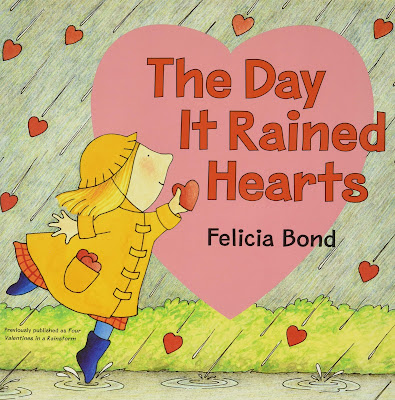
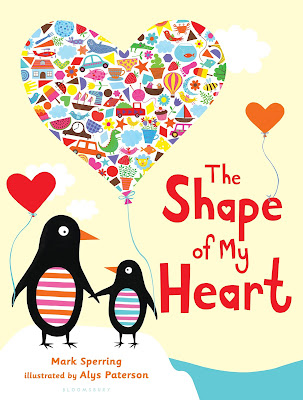
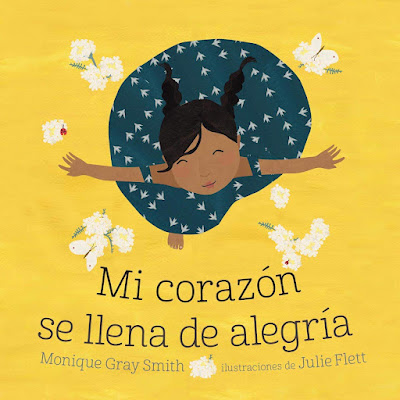
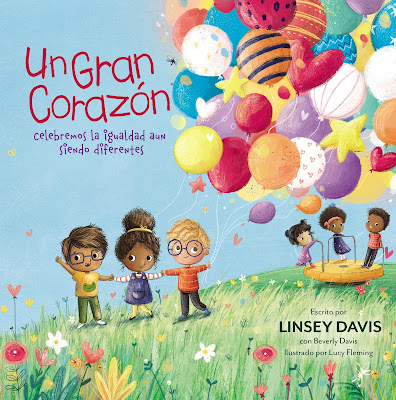
Here are a few other resources with a heart theme that I have enjoyed with my own children and recommend.

Day It Rained Hearts


The Shape of My Heart book

by Monique Gray Smith

Un gran corazĂłn: Celebremos la igualdad aun siendo diferentes

by Linsey Davis

Other Posts You May Enjoy


LinkWithin

Related Posts Plugin for WordPress, Blogger...