Showing posts with label computer science. Show all posts

Monday, March 28, 2022

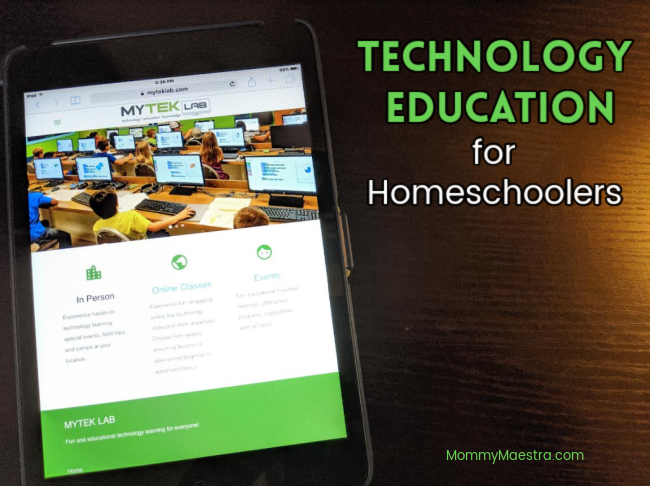
Technology Education for Homeschoolers

The following is a sponsored post in collaboration with MYTEK LAB and MommyMaestra. All opinions are my own.

I was looking over the Education Commission of the States' website the other day. They have posted a 50-state comparison for high school graduation requirements of technology, career/tech, and oral communications. I was so surprised about how all over the place the states are regarding technology education.

Technology Education as a High School Requirement

In my opinion, technology education should be one of the core subjects being taught and a requirement for high school graduation. 

At present, college-bound students should have something like this (Note: Years and credits can be used interchangeably):

  • MATH:  4 years
  • SCIENCE: 3 years, plus a Lab 
  • ENGLISH: 4 years
  • HISTORY: 3-4 years
  • WORLD LANGUAGE: 2-3 years of one language
  • FINE ARTS: 1+ year
  • PE: 2 years
  • ELECTIVES: Enough to bring the overall number of credits to 24+

Now, some states allow for computer science to be considered a world language. But this isn't always the case. 

Given our current global situation, EVERYONE is impacted by technology. And because tech is so ubiquitous and has such a profound effect on our lives, our kids need to be sufficiently taught about it.

What's Included In a Technology Curriculum?

But as a homeschool parent, I wonder about not just how to teach it, but WHAT to teach. Coding, 3D modeling, forms, HTML, CSS, themes, responsiveness....these are all vague technology terms that are jumbled around in my head. I know my kid would really benefit from learning some - probably ALL - of them and their applications, but I certainly haven't the slightest clue how to teach them when I'm still learning them myself.

However, I'm a great champion of getting help when I need it and leaving specific subjects to the experts when I can. 

Since I have a 4-year-old, I'm starting from scratch (pun intended), and my plan for his technology curriculum looks something like this:

  1. Typing (Elementary & Middle School)
  2. Digital Literacy (Middle School)
  3. Computer Science (Middle and High School)
  4. Cybersecurity (High School)

Online Tech Courses


Now I also have a 15yo. I didn't have a technology plan for him - it's been piece meal over the years. At least it was until we hit high school. And then I was introduced to MYTEK LAB, and I have signed him up for classes the last two years. Right now, he's finishing up his fourth semester with them. And what he has learned has blown my mind!

Last year, my freshman took Technology Lab level 1. You can read my review of their course here. He learned about programming fundamentals, web design tools, and general tech concepts. 

This year, they are diving deeper and some of what they are learning about includes:
  • Web Design II
  • JavaScript Programming I
  • VR Development II
  • 3D Modeling for 3D Printing II
  • 2D Game art II
  • 3D Game Development I
  • Linux Introduction I
  • Robotics II
  •  
Last semester, my son who is really into crafting, miniatures, etc., was wanting to create a physical object. It was totally unrelated to his class, BUT one of the tools he learned about in the course for 3D modeling led to him actually creating what he wanted because we contacted a 3D printer in town and sent them the file and they were able to create it in a day or so. 

(In case you are wondering, my son is very into Dr. Who and wanted to create his own miniature supersonic screwdriver. He needed a specific part that he couldn't create himself, so he designed it and we had it made!)

Anyway, the point it that these are not skills or concepts that I could teach myself. But having an online program that is professional and personal with easy access is a blessing for homeschool families like ours. 
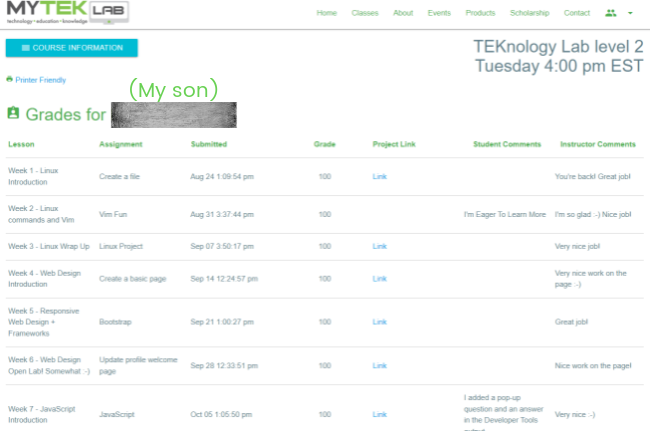


MYTEK LAB Online Classes


The classes are live, but when you have a crazy schedule like we do, the great part is that you can also do them at your own pace because they are all recorded.  The pro of a live class, obviously, is that you can ask questions on the spot as you are doing the assignment. BUT for those of us whose kids are watching the recording while they do the activity, the company offers help classes on certain days. During these times, you can hop on Zoom and they get to questions in the order that they log in.

My son loves the classes and his teacher, Stephen Souders, who is great with kids. He is so laid back and teaches in a way that the students can understand. But what my son loves best is the assignments. Souders teaches concepts by having the student actually do it themselves. Some of the activities are things that the kids are familiar with - for example, Minecraft - so the students are really intrigued and engaged throughout the process.
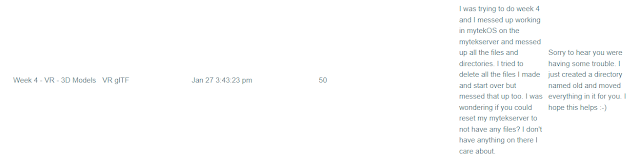
Gradebook comments

And I love that we are able to create both a student account AND a parent account so that I can pop in and check the gradebook, which I'll need for my son's high school transcript. I can also see what the topic of the lesson was and any comments that my son and his teacher leave for each other.

To be fair, we have not done any other online computer programs, but we are really happy with everything my son is learning at MYTEK LAB. So it's the only experience I can speak about - and I'm doing it with pleasure. 

Try a Course this Summer!


If you'd like to try one of their courses, check them out this summer! They are offering a Summer Session: 3D Modeling and Animation during the month of July. They have two classes; one for ages 8 to 12, and the other for kids 13 and older. We're planning to do it if our schedule allows. It is absolutely worth the time and money spent!

Parents, you can also register for their semester courses here.

Want to find this post again? Pin it!

Technology education for homeschoolers


Tuesday, January 26, 2021

Online Technology Education Classes with MYTEK LAB

Online technology education classes

The following is a sponsored post in collaboration with MYTEK LAB and MommyMaestra. All opinions are my own.

Technology Education

Without a doubt, computer science is one of the classes I was dreading trying to teach my tech-savvy kid. At 14, he already can easily understand technology in a way that has taken me years (decades?) to become familiar with. So MYTEK LAB has been a fantastic addition to our homeschool curriculum.

Now that my son has started 9th grade, technology classes are on our list for the next four years. Most states don't require them for graduation (although, did you know that in Texas, computer science can also fulfill a foreign language requirement?). BUT I personally think that computer science is a must for young adults as they prepare not just for college, but for most careers. 

And my son, in particular, loves tech. In fact, it has certainly been a constant challenge to limit not just screen time but online gaming with my kid. (I think a lot of parents are finding themselves in this situation.) 

So if my kid is going to spend time online, I'd rather make it education and useful and channel his energy into learning concepts and skills that will serve him well in the future.

Quick Overview

Program: MYTEK LAB
Religious Perspective: Secular
Format: Live & Recorded
Grades: 2nd - 12th
Price: Most of the classes are $49/m (one class is $98/m)


Coding Classes


If you've never heard of MYTEK LAB, let me give you a quick summary before I share my son's experience. This online program offers families technology education classes for kids in 2nd through 12th grade. The classes are Live and recorded. They vary in complexity, depending on the age of the student. But they are all accessed through a user-friendly dashboard.

Take a look at the classes MYTEK LAB is offering.

None of the classes require additional materials; your child just needs access to a computer and internet to view the classes and complete their work (obviously).

Students and parents have access to different dashboards, so parents can monitor their child's progress.

MYTEK LAB online technology classes

What the Classes are Like


We started in the middle of a semester, and since this was our first experience, I didn't worry as much about having my son catch up so much as I just let him do the course at his own pace. He has LOVED it.

My son is still big into Minecraft. He loves building things virtually. So the class I signed him up for was TEKnology Lab level 1. The course description says that students in this class will learn "programming fundamentals, many different creative applications, web design tools as well as many general technology concepts."

This was a perfect fit. He may have learned one or two things before, but the class really took things to a new level and helped him apply the coding skills in ways that he probably hadn't thought of, but that will be super useful should his life's journey take him into a career where he'll need to build a website.

MYTEK LAB recommends that students use two screens: one to view the video lesson, and the other to do their class assignment. Most kids, I suppose, use a phone or tablet to watch the video and they do their work on their computers. My son preferred to split the screen on his desktop monitor and do the class that way.

Each class lasts approximately 50 minutes (give or take a few) and teaches a new concept by having the student complete a project on their desktop using the program's software. 

MYTEK LAB online technology classes

Since the beginning of the school year, students have created pixel projects (such as a square block image made up of pixels for game backgrounds), web development (forms, text, background colors, etc.), and 3D VR blocks (Minecrafters will LOVE these tasks).

The program also keeps track of grades for those of you who want to record them. This is especially important for high school transcripts. But for homeschoolers of kids in lower grades who don't worry about grading, it's optional. 

What my son thinks about the program


At first, my kid was complaining about taking the classes. But almost instantly, he was doing them on his own. I was so flabbergasted when the words "I want to do MYTEK," left his lips. But I was so happy that we finally hit on an online program that I haven't had to force him to complete. 

When I asked him what he likes about MYTEK LAB, he said that he enjoys creating the activities and that they are related to something with which he is familiar. But now he really wants to learn how to create his own app or video game. So maybe that will be his next class!

MYTEK LAB online technology classes

What I love about the program


I love that my kid is motivated to do it himself. It's not something I have to insist he complete. I love that he is learning skills that I know he'll need in the future, especially as I see him pursuing a career that involves technology. 

Also, my kid really, really struggles with dysgraphia. It's something we've been dealing with for a while, and programs that involve a lot of writing just aren't his thing. So I'm really happy to see him build his confidence with this program and enjoy doing it.

I also love that the classes are recorded. Of course, the benefits of a live class are that students can interact with each other and the teacher, and also so they can ask teachers questions. But don't worry, if your child is doing the recorded classes, MYTEK LAB also offers weekly live help classes that your child can use to ask questions and get help with anything they don't understand or that isn't working the way it's supposed to. 

And finally, I really like the instructors. We both do, actually. Jacky and Stephen Souders are the owners of MYTEK LAB. I believe that Stephen teaches all the classes? He does my son's class anyway, and he is such an easygoing instructor. My son really enjoys learning from him. And that is the icing on the cake for this whole program.

Register for your class!


Check out MYTEK LAB yourself to see if they are offering any courses that you think are a good fit for your kids.

And if you know this is right for your family, go and register for a class!

Want to find this review again? Pin it!

MYTEK LAB online technology classes


LinkWithin

Related Posts Plugin for WordPress, Blogger...